
ME


Case study
Terminal Notes
Think in commands.
A retro terminal for notes and to-dos: a local-first Electron app for capturing ideas without an account, a cloud, or clutter.

Overview
About the project
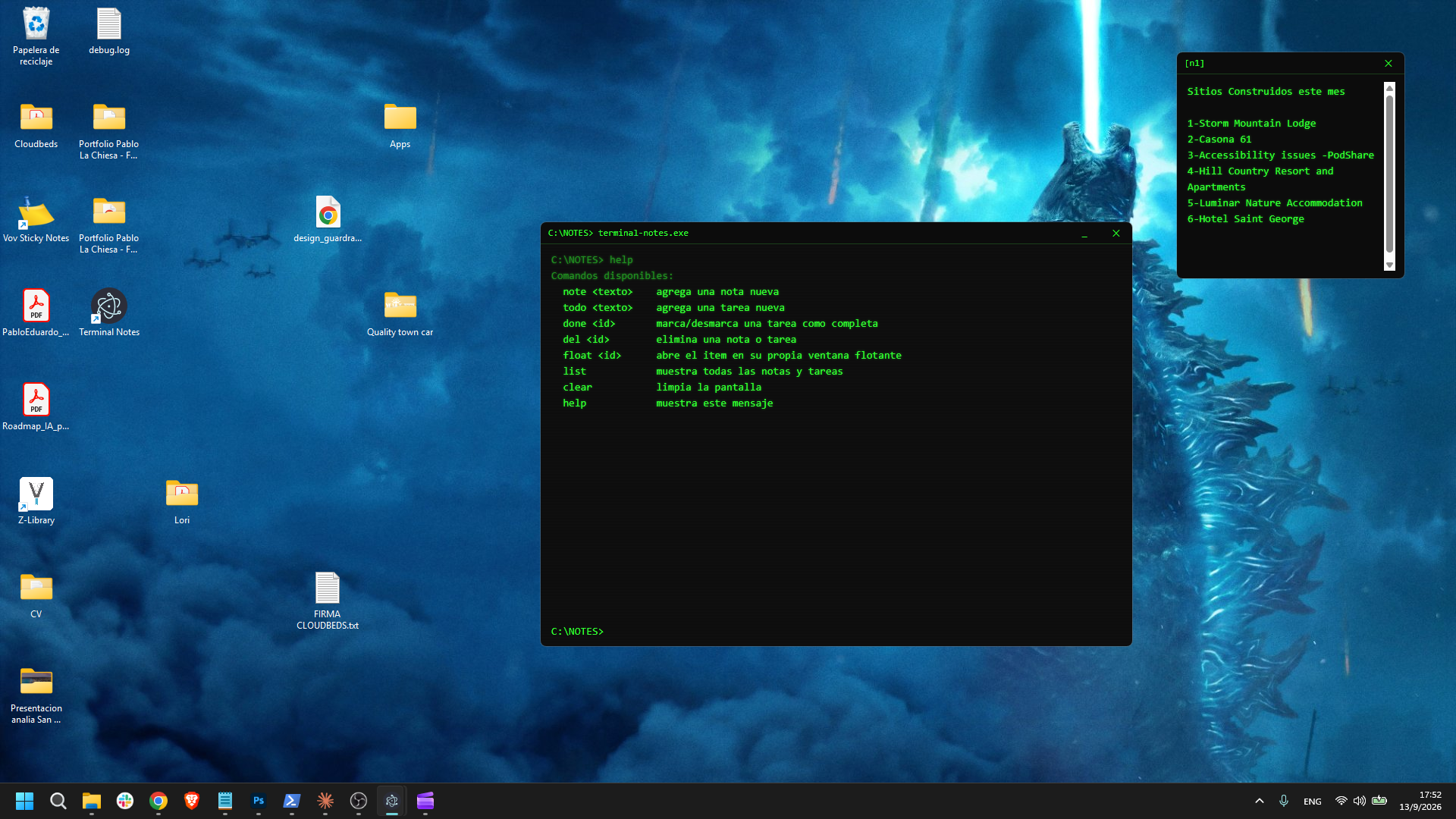
Terminal Notes was built for people who live in a code editor or terminal all day and want their sticky notes to feel just as fast and native. Instead of a colorful widget competing for attention, it drops the user into a green-on-black, monospaced console where a short command creates a note or a to-do.
Everything runs locally. There is no account, sync service, or telemetry: data is written to a JSON file on the user's own machine the moment it changes.
The problem
Productivity tools that interrupt the work
Notes and reminders often introduce more friction than the task they are meant to capture:
- Cloud overheadSimple personal reminders can require a login, subscription, or third-party server.
- Visual mismatchBright sticky-note widgets and paper textures clash with dark IDEs, terminals, and developer desktops.
- Rigid interactionButton-heavy forms slow down people who already have their hands on the keyboard.
- No focused floating viewMost apps keep everything in one window instead of letting one reminder stay visible beside the work it relates to.
The solution
A tiny shell for the things you cannot forget
I designed and developed a single Electron window styled like a classic terminal. Commands such as note, todo, done, del, float, and list keep capture fast and predictable.
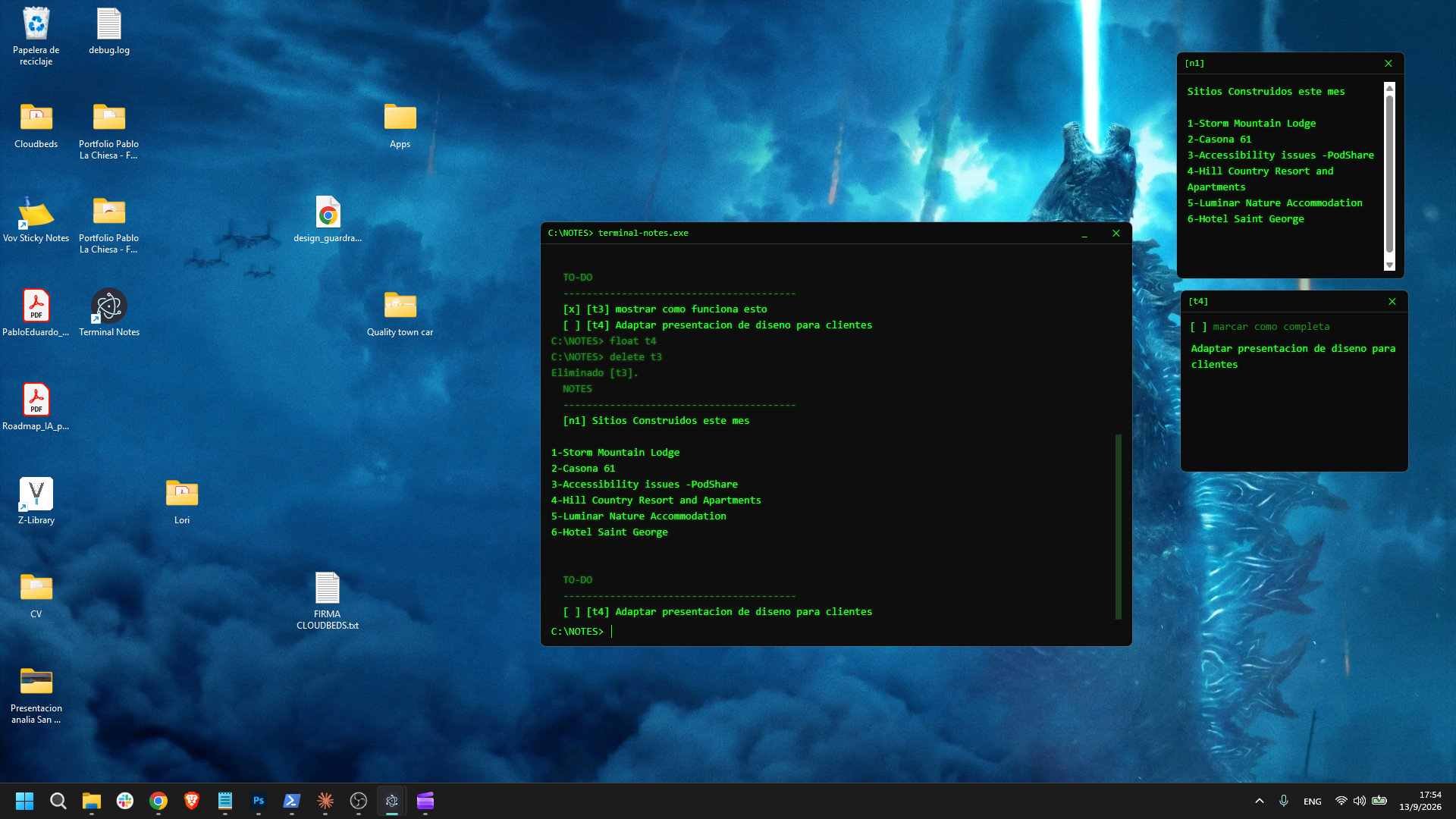
Every item is also clickable for people who prefer pointing over typing, while float <id> opens a small, frameless, draggable reminder that stays visible on the desktop.
Key features
- Command-driven workflowAdd, complete, delete, or pop out items with one-line commands.
- Point-and-click fallbackEvery note and to-do line remains clickable for a more familiar interaction.
- Floating sticky windowsPull any item into its own frameless window, live-synced with the main terminal.
- Authentic terminal lookCustom title bar, green-on-black typography, blinking caret, and subtle CRT scanlines.
- Zero-cloud storageChanges are persisted instantly to a local JSON file with no network calls.
- Installable Windows appelectron-builder packages the experience into an NSIS installer with Start Menu and desktop shortcuts.
Engineering
Technical highlights
Secure main/renderer separation
The renderer never receives direct access to Node.js. A preload script exposes only a whitelisted API through contextBridge, with contextIsolation enabled and nodeIntegration disabled.
Multi-window state sync
The main process owns the in-memory store and broadcasts each change over IPC to the terminal and every floating note window, avoiding polling while keeping all views current.
// The renderer talks to the OS through a deliberately small API
contextBridge.exposeInMainWorld('api', {
  addItem: (type, text) => ipcRenderer.invoke('add-item', { type, text }),
  toggleTodo: (id) => ipcRenderer.invoke('toggle-todo', id),
  openFloat: (id) => ipcRenderer.invoke('open-float', id),
});
A tiny command parser
One input line is split into a verb and argument, then dispatched through a small switch. The interface stays compact, and new commands are straightforward to add.
Zero-dependency persistence
Node's native fs module reads and writes one JSON file in the OS app-data folder, keeping the runtime footprint focused on Electron.
// Changes reach every open window without polling
function broadcast(channel, payload, excludeWebContentsId) {
  BrowserWindow.getAllWindows().forEach((window) => {
    if (!window.isDestroyed() && window.webContents.id !== excludeWebContentsId) {
      window.webContents.send(channel, payload);
    }
  });
}
Result
Impact
Terminal Notes replaces a page full of app-store sticky-note widgets with something that feels native to a developer's environment: no login screen, no ads, no subscription, just a fast keyboard-first capture tool that opens instantly and disappears into the taskbar like any other program.
It shows that a genuinely useful desktop utility does not need a backend, account system, or polished skeuomorphic UI. It needs a clear interaction model and respect for the user's data.
Takeaways
Skills demonstrated
Future improvements
- Remember each floating window's screen position between sessions.
- Optional native OS notifications for due to-dos.
- A
find <text>command to search across notes and to-dos. - Light/amber terminal theme toggle.
- Optional encrypted export/import for backups.